The easiest line to write in an ELV package is the wireless one: “Wi-Fi 6, full coverage.”
On acceptance day three numbers surface: -68 dBm measured at a guest bedhead, a video call that dropped for three seconds on the way to another floor, and 90% channel utilisation in a meeting room with 200 people online. None of those is fixed by buying a more expensive access point. All three were decided earlier, at the step where the RFQ did not say enough.
This page carries no product catalogue. It gives four things you can write into a contract: the target numbers, the AP count arithmetic, the generation and spectrum trade-off, and the licensing and acceptance wording.
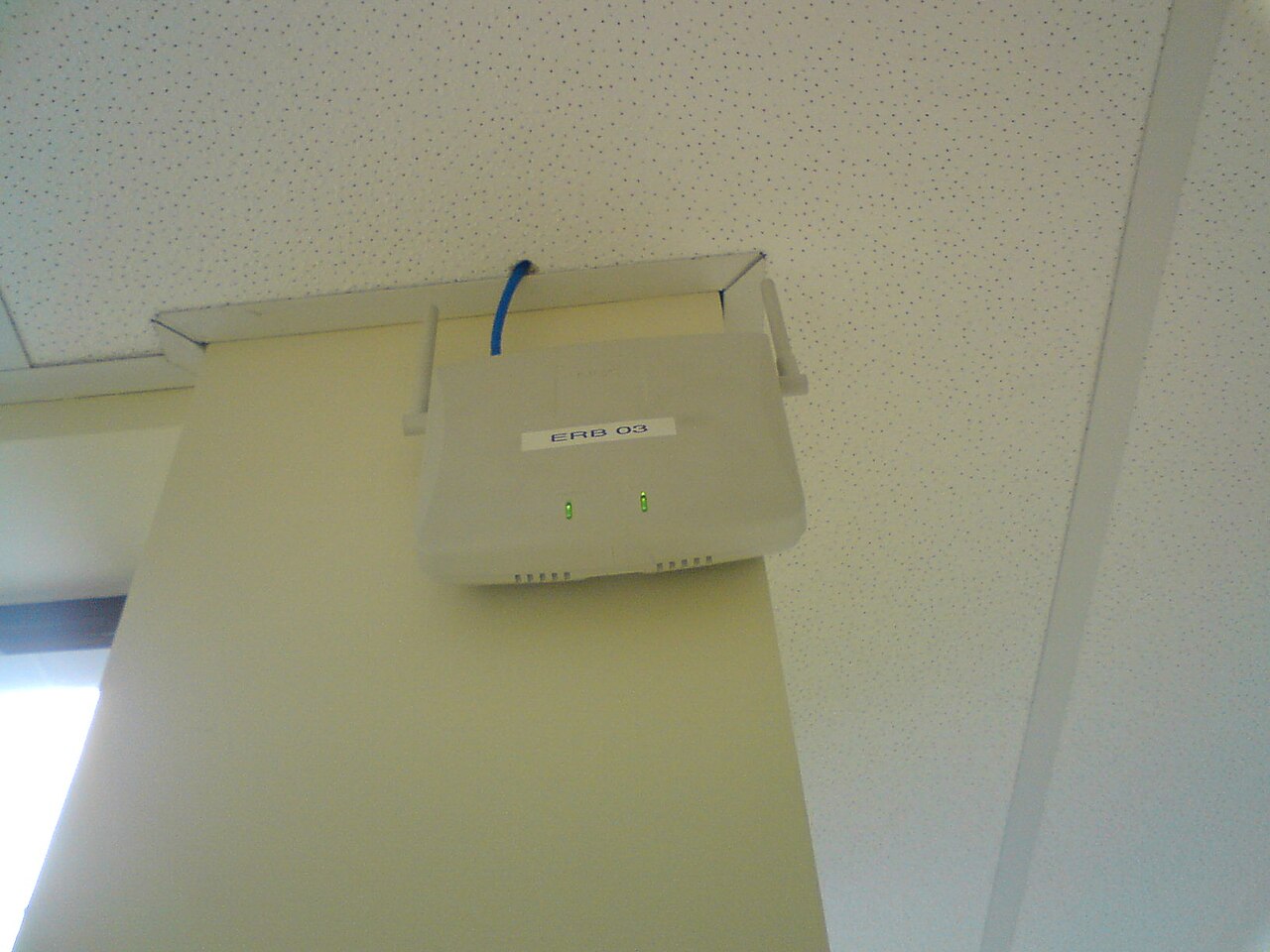
1. “Full coverage” has to become five measurable numbers
The same phrase means “the signal shows up in a scan” to the supplier and “a guest can hold a video call” to you. The gap sits in five values.
| Metric | Value to write into the technical agreement | Why that value | How it is measured |
|---|---|---|---|
| Signal strength (RSSI) | -67 dBm in voice and meeting areas; -72 dBm in general data areas | Below it, 5 GHz steps down its rate: the association succeeds and the experience drops a tier | Site survey recorded point by point, including bathrooms, closets and lift lobbies |
| Signal-to-noise ratio (SNR) | 25 dB or better | Strong signal over a high noise floor runs just as badly - hotels carry adjacent-channel and Bluetooth interference | Survey tool reading, 10% of positions re-checked at random |
| Band loading | 5 GHz carrying at least 80% of clients | 2.4 GHz is kept for IoT, legacy terminals and fallback | Client distribution statistics on the controller |
| Channel utilisation | Under 50% at busy hour | Past 50% queueing delay is visible and video calls start to stutter | Busy-hour capture on the controller or analyser |
| Roaming handover | Under 100 ms, zero packet loss | Voice, scan-and-go and AGV traffic are the most sensitive to a break | 30 continuous passes along the corridor |
Put those five into the RFQ and the supplier’s price structure changes on the spot - from “AP unit price x quantity” to “position design + equipment + survey + acceptance”. Only the second structure can be checked.
2. AP count: count the walls first, capacity second
The count does not come from dividing floor area. In the same building, lightweight partitions versus concrete walls is the difference of two access points.
| Space | Practical density | Key constraint |
|---|---|---|
| Guest rooms (corridor ceiling AP) | 1 AP per 6-8 rooms (2-3 per corridor) | Door loss 3-6 dB; bathrooms become blind spots |
| Guest rooms (in-room wall-plate AP) | 1 AP per 1-2 rooms | Count approaches the room count; maintenance points double |
| Lobby, restaurant, lounge | 150-250 m² per AP (ceiling height up to 4 m) | Above 4 m, recalculate from coverage radius, not area |
| Meeting rooms, ballrooms | 40-50 active clients per AP | When the room fills, look at uplink and channels, not at AP count |
| Warehouse, outdoor, campus | Line of sight plus directional antennas | Metal racking and glass curtain walls create large dead zones |
Take wall loss from measurement. Common bands: lightweight partition 3-5 dB, brick 10-15 dB, concrete 15-20 dB, and 25 dB or more once a metal riser or fire door is in the path. One concrete wall roughly halves your coverage radius - which is why two hotels with the same drawing end up with one needing 120 APs and the other 200.
A 500-room hotel: 1 AP per 2.5 rooms on the guest side is about 200 units, plus 15-20 in public and back-of-house areas, landing near 215. That is the same arithmetic as the 214-point schedule in our 500-room hotel wireless network design case. The only difference is how rooms are grouped and how corridors are segmented - and that is settled by survey, not by opinion.
3. Wi-Fi 6, 6E, 7: destination spectrum before model number
The difference between the three generations is usually described in speed. The first question is whether that band is legal in your destination country.
| Generation | Standard | Bands | Buying point |
|---|---|---|---|
| Wi-Fi 6 | 802.11ax | 2.4 / 5 GHz | The steadiest value choice today; usable worldwide |
| Wi-Fi 6E | 802.11ax + 6 GHz | 2.4 / 5 / 6 GHz | 6 GHz only means something in markets that opened it; modules cost more |
| Wi-Fi 7 | 802.11be | 2.4 / 5 / 6 GHz | 320 MHz channels and MLO only exist on 6 GHz; client penetration decides the real gain |
The regulatory position on 6 GHz has to be established, not asked as “does it support it?”:
- European Union: since 2021, Implementing Decision 2021/1067 opens 5945-6425 MHz to wireless LAN (indoor low power and very low power tiers). That decision is what makes 6E workable in Europe.
- Mainland China: the frequency allocation in force since 1 July 2023 assigns 6425-7125 MHz to IMT (5G/6G); 6 GHz is not open to Wi-Fi. Indoors, 5 GHz here only has 5150-5350 and 5725-5850, enough for three 80 MHz channels including one 160 MHz. The 6 GHz half of Wi-Fi 6E cannot be used in the country - you pay for spectrum you cannot switch on.
- Middle East, South Asia, Africa: each country is at a different stage, and one model being legal in country A while it cannot transmit in country B is routine. The fix is to put “destination country + the type approval required” on the first line of the RFQ and ask for the SKU that can actually be certified, not the flagship model.
In one sentence: on export projects, whether 6 GHz is open decides whether you should pay the 6E premium. In a market where it is closed, the same budget spent on position density and survey buys far more experience than the extra band.
4. Channels and power: interference is calculated, not tuned
- 2.4 GHz uses 1 / 6 / 11 only, width locked to 20 MHz. Everything outside those three channels overlaps, and the more you tune, the worse it gets.
- 5 GHz uses 20/40/80 MHz by space: 40 MHz for guest corridors and dense offices; 80 MHz for the lobby and open-plan areas. Running 80 MHz everywhere leaves too few channels and adjacent cells suppress each other.
- Watch the DFS channels: 5250-5350 and 5470-5725 MHz need radar detection, and the AP will vacate the channel when it detects a radar; some older clients do not support DFS at all. Write “DFS enabled or disabled” into the configuration requirements so it is not left on by supplier default.
- Do not run every AP at maximum power: AP at full power plus a client with a small antenna gives “visible, cannot connect, will not roam away”. Use automatic power with a floor, so clients hand over near -70 dBm on their own.
- Antenna gain and EIRP have to be converted against the destination country’s limits; do not read only the dBm figure on the label. An EIRP excess from a high-gain antenna is a customs clearance issue in some markets, not just an experience issue.
5. Roaming, authentication and guest isolation: three things that get cut
- The 802.11k / 802.11v / 802.11r set: k supplies neighbour reports, v steers the client to another AP, r makes the handover fast. Without r, voice and two-way radio traffic visibly breaks when crossing APs. Write “supports and enables 802.11r/k/v” into the RFQ - not “supports fast roaming”.
- Authentication: enterprise and hotel deployments run WPA3-Enterprise with 802.1X (RADIUS), and WPA3 makes PMF (802.11w) mandatory. If the guest SSID authenticates against the PMS, state the interface protocol and the failure fallback. A WPA2-PSK design is one key for the whole building.
- Isolation and rate limiting: the guest SSID needs client isolation plus uplink rate limits, and staff and devices belong on separate VLANs. On the quotation this is normally summarised as “supports multiple SSIDs”; what you actually have to check is whether it can map VLANs and rate-limit per SSID.
6. Hardware controller, cloud, controller-less: the money is in the licence
| Option | Scale | How it is charged | Risk |
|---|---|---|---|
| Hardware AC | Mid to large, local autonomy required | One-off hardware plus per-AP licences | AC capacity ceiling; expansion means a new box |
| Cloud-managed | Multi-site, unattended | Annual subscription per AP (commonly 1/3/5/10 years) | WAN down means local forwarding only; nobody owns the renewal |
| Controller-less (fat AP) | Small jobs, 5-20 units | No subscription | Configuration edited box by box, each edit a new mistake |
On hotels and campuses with a five-year-plus service life, the expensive item is not the AP - it is the continuity of licensing and support. Put these three sentences into the enquiry: what the licence is counted in (APs / sites / users), what still works after expiry without renewal, and whether replacing 20% of the APs requires additional licences. The third one is the most often skipped and the most common reason a budget reappears three years later.
7. Power and cabling: budget PoE at selection time
A Wi-Fi 6 ceiling AP typically draws 12-25 W, and 6E/7 or high-density models draw more. Specify 802.3at (30 W at the PSE, 25.5 W at the PD); af (15.4 W / 12.95 W) only covers low-power models. Keep 20-30% headroom in the PoE budget, because the same switch usually also feeds cameras and IP phones - the full arithmetic is in our PoE switch sourcing guide. On the cable side, Cat6 covers gigabit and PoE, and any run beyond 90 m moves to fibre, which matches the rules in our structured cabling sourcing guide. Wireless is not a stand-alone purchase inside the package - its positions, its power and its back end all hang off the same ELV systems scope, so a package quote has to be checked against the security, access control and PA lines at the same time. Otherwise you get the classic rework: the APs are mounted and the access layer has no free ports.
8. Ten lines for the RFQ: write these and the quotes compare
| # | Item | What it looks like |
|---|---|---|
| 1 | Destination and regulation | Country plus the type approval required (CE, FCC, local), and whether 6 GHz is available |
| 2 | Position schedule | Room count, public area m², meeting room seats, outdoor positions, with floor plans |
| 3 | Target per position | RSSI, SNR, concurrent client count |
| 4 | Generation and band | Wi-Fi 6 / 6E / 7, plus the 5 GHz channel width policy |
| 5 | Antenna form factor | Ceiling, in-room panel, directional, outdoor - how many of each |
| 6 | Management and licence | Controller type, licence unit, term, behaviour after expiry |
| 7 | Certification and compliance | Radio type approval plus safety/EMC, listed per destination country |
| 8 | Supply scope | APs, AC, licences, PoE switches, mounting kits and survey service priced on separate lines |
| 9 | Spare ratio | Commonly 3-5%, and state whether spares carry a licence |
| 10 | Survey and acceptance | Who runs the predictive survey, who issues the as-built report, which fields it contains |
The table can be rebuilt from our RFQ template; replace rows 3, 6 and 10 with the wireless wording above.
9. Five acceptance items: “it works” is not acceptance
| # | Item | Pass condition |
|---|---|---|
| 1 | Survey report | Predictive versus as-built heat maps, measured RSSI/SNR per position, blind spots explained |
| 2 | Throughput test | iperf3 single-client downlink at 50% or more of nominal PHY rate, three positions per floor |
| 3 | Roaming walk test | 30 consecutive cross-AP passes, handover under 100 ms, zero loss, including lift lobbies and stairwells |
| 4 | Concurrency load | Meeting room at design occupancy with video running, channel utilisation under 50% |
| 5 | Deliverables | Config files, firmware versions, licence list, position drawings, account handover |
Item 3 is the one most often skipped. It costs nothing but 30 walks along a corridor, and suppliers routinely close it with “we already tested it, no problem”. Writing it into the contract is far cheaper than arguing about it at the acceptance meeting.
10. Six traps
- Nominal rate treated as real throughput: AX3000 is 574 Mbps at 2.4 GHz plus 2402 Mbps at 5 GHz added together; a single client commonly gets about half.
- 6E sold as 6: only the model number with an E has 6 GHz, and only in a market that opened the band.
- Cloud licence expires with nobody renewing: the APs stay on the wall, central authentication and the guest portal stop first.
- AP used as a wireless repeater: saves one cable, costs half the rate and doubled latency - cameras and handheld scanners fail first.
- APs counted, switches not: the PoE budget runs short and mid-span injectors get added at the end, dearer than specifying 802.3at from the start.
- Letting the fit-out crew place the APs: the ceiling is closed before anyone remembers the AP, and it ends up in a corner behind a light fitting.
Wireless coverage is the least visible layer of a hotel or campus ELV package: it takes no rack space and appears on no drawing index, yet the whole experience lives in two pages of technical agreement. On the same procurement chain sit the overall ELV package pricing structure and the tray and conduit installation rules; settle all three together, or the AP positions get changed after the ceilings are closed.
Send over a position schedule and within 48 hours we will return comparable quotes from three factories against the wording above, and tell you which parameters are negotiable with Chinese suppliers and which ones break stock the moment they move.
WhatsApp / phone: +86 139 2270 2227 (Guangzhou team, Monday to Saturday 09:00-19:00 GMT+8, reply within 12 hours, also online at weekends) | Email: sales@cantonmade.com. You can also read how we work or go straight to the 500-room hotel ELV delivery case.
Related reading: once the wireless positions are fixed, power and cabling have to be locked at the same time so you do not discover missing ports or the wrong cable gauge after the APs are on the wall - see ELV package delivery: rack integration, FAT and handover.