One camera can carry 4 MP, starlight and “AI support” on the same specification line — but whether it merely raises alarms, or raises alarms somebody can act on, is a whole set of procurement actions apart.
The three regrets we see most: the analytics rules needed a separate licence that was not on the quotation; three months after handover the guard turned the alarm sound off; the project finished and the owner’s legal team asked whether the facial recognition was compliant. This article settles three things only: where the analytics runs, how false alarms get verified, and where the compliance red lines are. Camera selection — resolution, lens and DORI pixel density — is covered in work out the resolution before you buy; this one does not repeat it.
1. Analytics runs in three places, and the quote can differ three-fold
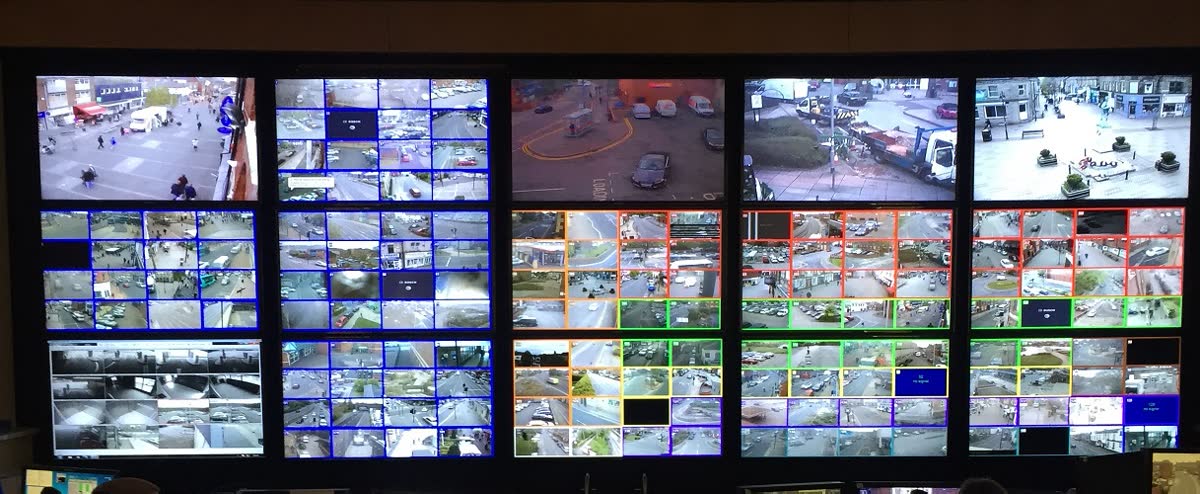
The same “line crossing alarm” can run inside the camera, inside the recorder, or inside a VMS on a server. They are not upgrade steps of one product; they are three different businesses:
| Dimension | Camera side (edge) | Recorder side (NVR) | Server side (VMS) |
|---|---|---|---|
| Compute | Fixed by the chip; usually 1–2 rules per channel | Medium, limited by channel count | Scales with CPU/GPU, cards can be added |
| When the network is down | Still alarms and records locally | Works inside the LAN | Depends on the server being online |
| Cost per channel | Buried in the camera price, invisible | Buried in NVR channel count | Licensed per channel, visible every year |
| Changing a rule | Log in to each unit; 50 channels is a day’s work | Bulk changes, still limited by model | One push covers the site |
| Fits | Up to 20 channels, single rule type | Up to 50 channels, central management | Above 50 channels, counting and search |
Settle this column first and every price afterwards becomes comparable. Video analytics is a subsystem of the security package — how it splits and how responsibility is drawn across the rest is set out in what an ELV package covers.
2. “AI features” are not a spec line, they are a licence
The camera brochure writes AI as a parameter; the supplier quotation writes it as something else entirely — a licence. Three forms, and they are not interchangeable:
- Free with the unit: pixel-level decisions such as motion detection and privacy masking. No model involved, normally not charged, and equally unable to filter leaves and rain.
- Licensed per channel: the mainstream form of server-side analytics, priced as “camera channel × year”, so 20 extra channels means 20 extra licences.
- Licensed per function module: face, plate and people counting sold separately, some tiered by analysed frames per second.
Seven items the quotation has to answer:
| Ask | Why it matters |
|---|---|
| Is licensing per channel, per device or per function | Decides the cost of expanding three years from now |
| Term: perpetual / annual / subscription | A missed annual licence is a fixed cost every year |
| Does the licence transfer when a camera is replaced | A brand change normally means buying again |
| Are software version upgrades charged separately | Some charge per major version |
| Maximum number of rules | One rule per zone, or eight |
| Does it include tuning and on-site commissioning | Installed but never tuned means the factory default false alarm rate |
| Must the analytics and the camera be the same brand | Once bound, there is no negotiating room left |
3. Break “95% accuracy” into two numbers
A supplier says 95% accuracy. You cannot accept against it, because it never says what the denominator is. Split it:
- Precision = true events ÷ (true events + false alarms): how many of the alarms were real.
- Recall = true events ÷ (true events + misses): how much of what actually happened was caught.
Take an estate perimeter of 8 zones, each averaging 2.5 false alarms per night:
| Item | Number |
|---|---|
| False alarms per night | 8 × 2.5 = 20 |
| Per month (30 days) | 600 |
| Per working month (22 days) | 440 |
| 3 minutes of guard review each | 30 hours a month ≈ 3.8 eight-hour shifts |
In other words, close to four full shifts a month are spent walking over to look and walking back. Run the same 20 alarms a day at 90% precision and the wasted trips fall to 2 a day, 60 a month — the difference is not the camera’s ability, it is how the parameters were tuned. So the contract cannot say “95% accuracy”; it has to say “under the scenes and lighting conditions in the annex to this agreement, precision ≥ X% and recall ≥ Y%, judged by the record sheet in the annex”.
4. How to run a 30-day POC
The purpose of a POC is not to prove the system works; it is to produce numbers you can put in the contract.
| Stage | What happens | Deliverable |
|---|---|---|
| Week 1 | Agree the scene list: lighting (backlight, night IR switch-over), weather (rain, fog), target (person, vehicle, left object), zone (walkway, boundary, racking) | Scene table, at least 3 points per scene |
| Week 2 | Install, run one week on default parameters, no tuning | Raw alarm log |
| Week 3 | Tune per scene (sensitivity, minimum object pixels, time threshold), run again | Two log versions, before and after tuning |
| Week 4 | Review: play back every alarm and mark true or false; compute precision and recall | POC report plus video evidence |
The record sheet needs at least these columns: time, zone, alarm type, true event yes/no, reviewer, notes — and the review must be done on playback, not on the guard’s impression. Image quality on the camera side decides the analytics outright: backlight, obstruction and a dirty lens cannot be recovered by any algorithm. The checks at arrival and installation are in the surveillance camera QC process, and full-unit vetting and burn-in in PTZ camera factory audit.
5. Whether the metadata moves decides how locked in you are
The output of analytics is not video, it is metadata: which frame, which object, what class, which coordinates. Three questions decide whether it crosses brands:
| ONVIF Profile | What it covers | Relation to video analytics |
|---|---|---|
| S | Basic video streaming | Picture only, no analytics results |
| G | Recording and search | Retrieving recorded video |
| T | Advanced streaming (including H.265 and metadata) | Carries some metadata |
| M | Analytics, metadata and events (released June 2021) | Standardised analytics configuration, object classification, plate/face/human/geo metadata, events over MQTT |
M is the only profile that standardises analytics results enough to cross manufacturers: change camera brand and the VMS integration does not need rewriting, and events can drop straight into an IoT platform for automation. If the supplier only offers a private HTTP API plus a private SDK, your analytics results are nailed to that system — changing brand means starting again. The procurement action: write into the technical requirements that “both cameras and VMS shall declare ONVIF Profile M support, with the conformance statement in the delivery list”, and do not accept a vague “we are ONVIF compatible”.
6. Bandwidth and storage: do not size only the main stream
Analytics needs another stream of picture, and the metadata travels over the network too. A 50-channel site, worked through:
| Item | Calculation | Result |
|---|---|---|
| Second stream for analytics | 512 kbps × 50 | 26 Mbps uplink |
| Metadata stream | 1–20 kbps × 50 | 0.05–1.0 Mbps (small, but keep it on its own VLAN) |
| Main stream | 4 Mbps × 50 | 200 Mbps |
| Storage per channel per 24h | 4 Mbps × 86400 s ÷ 8 | 42 GB |
| 50 channels per day | 42 GB × 50 | 2.1 TB |
The metadata volume is small, but it is what makes “search by person, search by vehicle” possible — recorded video search runs on it. What actually eats the budget is the main stream; how retention days and bitrate are set is in how to size CCTV storage for a 500-room hotel. Confirm the uplink separately: plenty of projects have gigabit switch ports but a single 100 Mbps uplink, and as soon as the analytics streams are added the picture breaks up.
7. Compliance: three red lines belong on the purchase list
The prohibitions in Article 5 of the EU Artificial Intelligence Act (Regulation (EU) 2024/1689) have applied since 2 February 2025. Four of them bear directly on security cameras:
| Clause | What is prohibited | What to do in procurement |
|---|---|---|
| 5(1)(e) | Scraping surveillance or internet imagery to build or expand face databases | Refuse factory-preinstalled face databases / image search |
| 5(1)(f) | Emotion recognition in workplaces and education (except medical and safety uses) | Strike out emotion or psychological state analysis |
| 5(1)(g) | Inferring sensitive attributes such as race, politics, religion or sexual orientation from biometrics | Strike out gender/age and crowd-attribute statistics |
| 5(1)(h) | Real-time remote biometric identification in public spaces (law enforcement only, very narrow exceptions) | Face recognition only on controlled access lanes, never in public areas |
On the data side there is one more that gets missed: GDPR Article 35(3)(c) requires a data protection impact assessment (DPIA) for large-scale systematic monitoring of publicly accessible areas. The duty sits with the owner / data controller, but if the buyer cannot hand over a statement of what the cameras capture, how long it is kept and who can see it, the DPIA stalls at the supplier.
The cheapest route is to put the feature list on the first page of the technical requirements: buy only the analytics you need (line crossing, intrusion, left object, people counting), and never preinstall face or attribute functions. Chinese firmware often ships with them switched on; disabling them before export with a written record is cheaper than explaining afterwards.
8. Eight questions that must be closed with the supplier
- Does the analytics run in the camera, the recorder or the server? What is the rule limit per channel?
- Is licensing per channel, per device or per function? For how long? Does it transfer on replacement?
- Which ONVIF Profiles are supported, and can you supply a Profile M conformance statement?
- What is the false alarm behaviour on default parameters, and do you have measured records from a comparable scene?
- Does the offer include on-site tuning and 30-day POC support? Who does the tuning?
- What bitrate and resolution does the analytics second stream use, and how is the uplink sized?
- Can face, emotion and attribute functions be disabled at the factory with a written statement?
- Are software upgrades and rule template updates charged separately?
9. Six traps that show up most often
| Trap | Consequence | How to avoid it |
|---|---|---|
| Reading “AI support” and never asking the rule count | 50 channels able to run one rule | Write the rule limit into the quotation |
| Licensing quoted for one year only | A budget top-up in year two | Contract the three-year total cost of ownership |
| Accepting on factory default parameters | Nobody owns the false alarm rate | Put the POC record sheet in the annex |
| Ignoring the second stream | Uplink saturated, picture stuttering | Size the uplink separately |
| Camera and VMS forced to one brand | No negotiating room left | Require Profile M or an open interface |
| Face and attribute functions left on by default | An EU project that cannot pass compliance | Feature list up front, written confirmation of disablement |
Video analytics is not the purchase of a “smarter camera”; it is the purchase of a capability that can be accepted, expanded and explained. Put the scenes, the rules, the licensing and the record method into the enquiry document and every quotation lands on the same basis. If you already have drawings or a point schedule, send the scenes you want analysed — which zones, which targets, which hours — and we will come back with a comparable configuration and cost structure by point count and rule count, within 48 hours. For how this lands in a 500-room hotel project, see the delivery record for this project.